🔐 Account Deletion
Wallpaper App by Krevia Studios
If you want to delete your account and all associated data, you can do so directly from the app. This page will guide you through the process.
💡 Quick Tip: Account deletion is permanent and cannot be undone. Make sure you've saved any wallpapers you want to keep before proceeding.
📱 How to Delete Your Account
Follow these simple steps to delete your account from within the app:
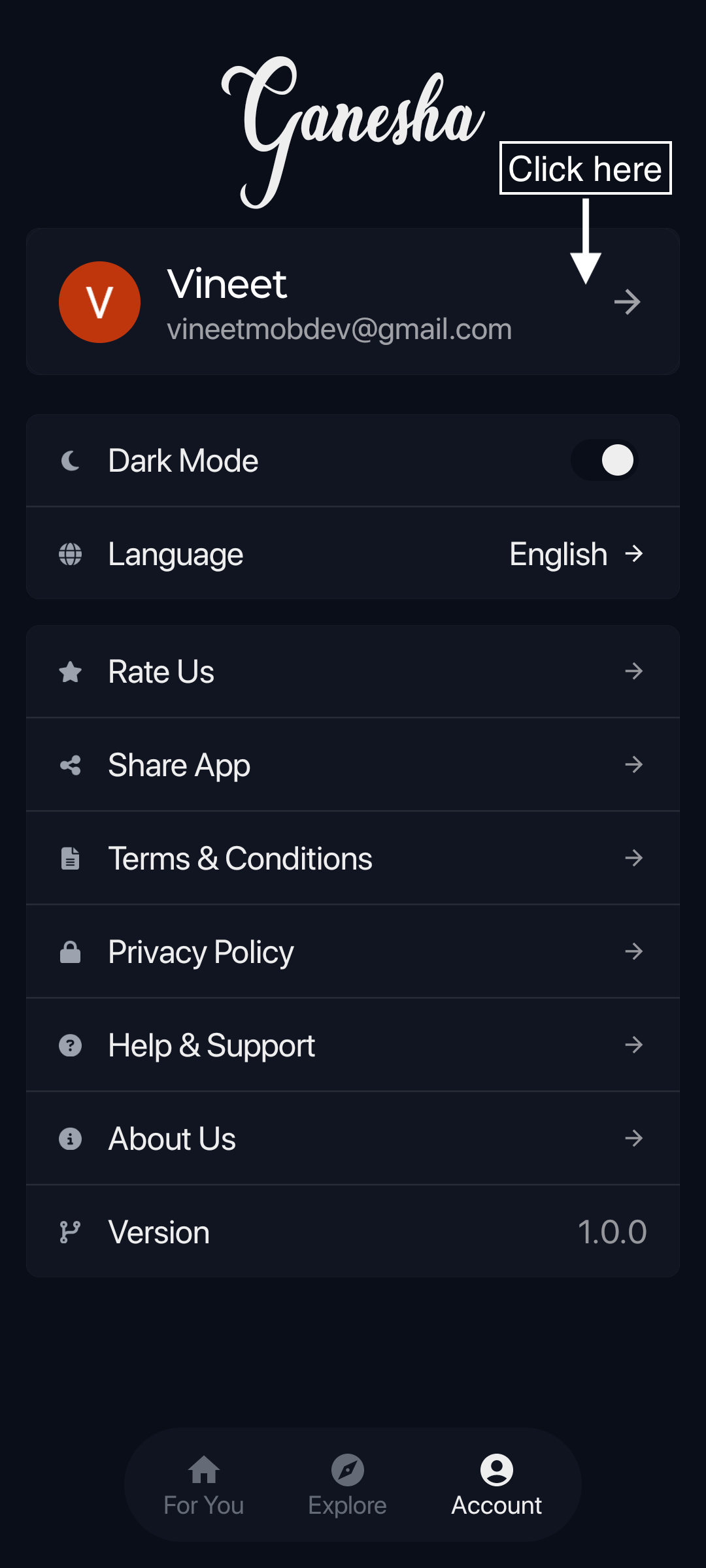
1 Go to Account
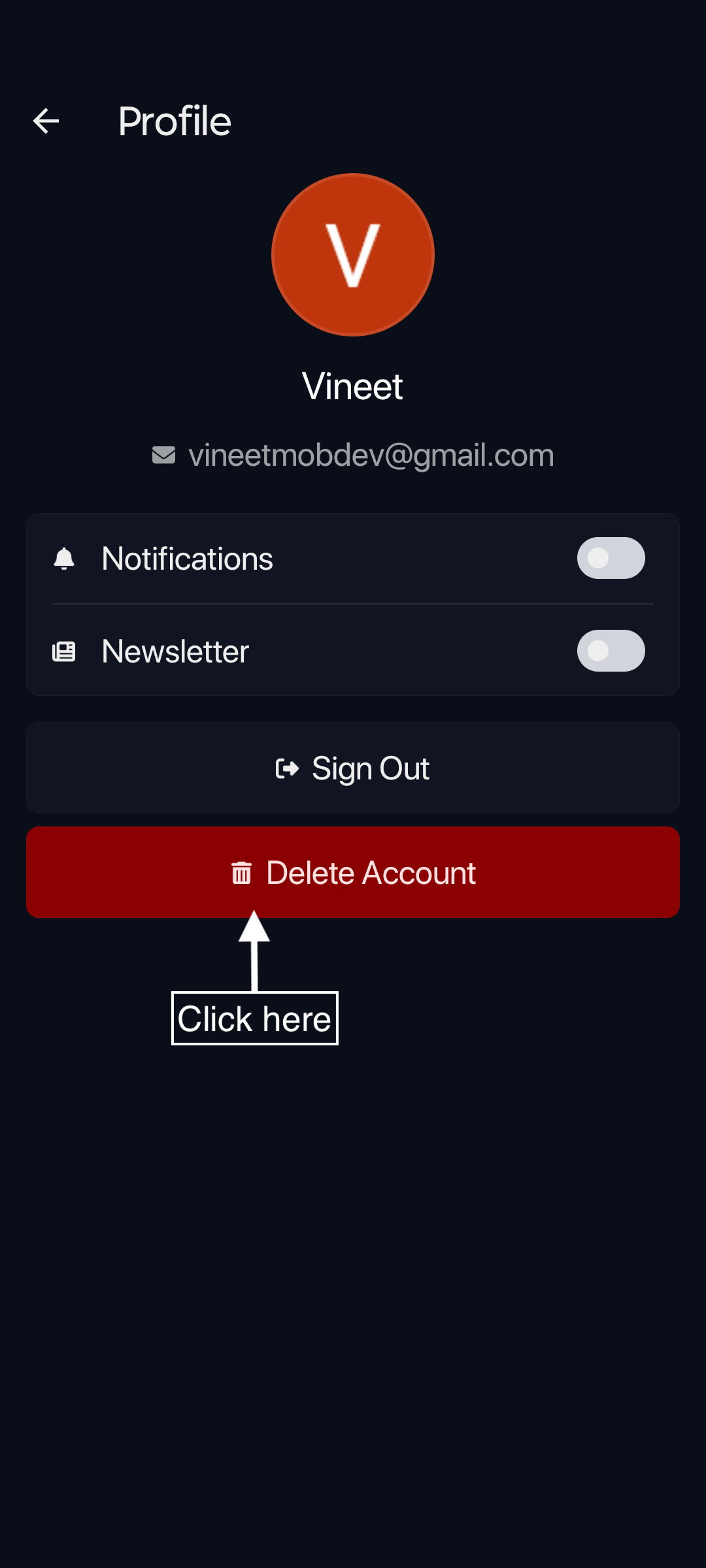
2 Tap Profile
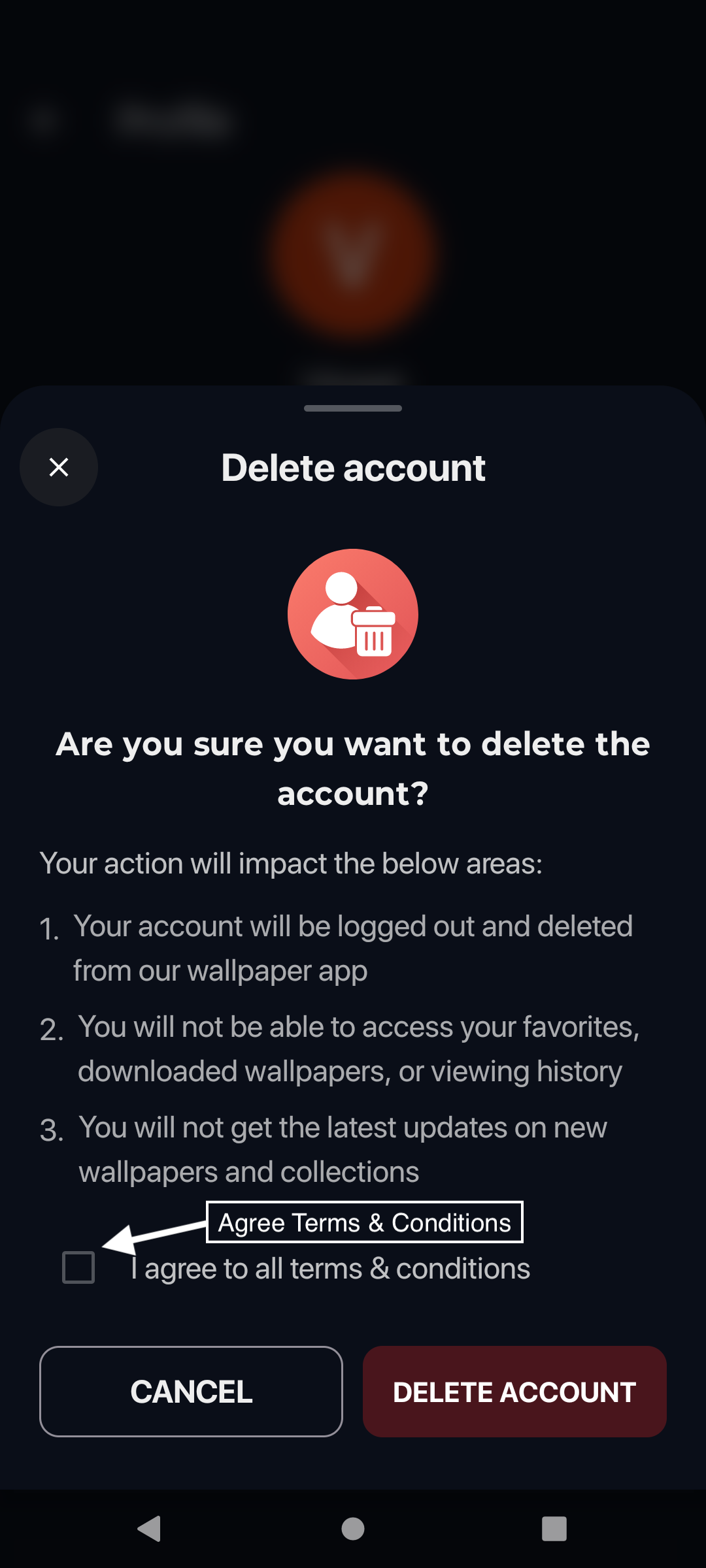
3 Agree & Confirm
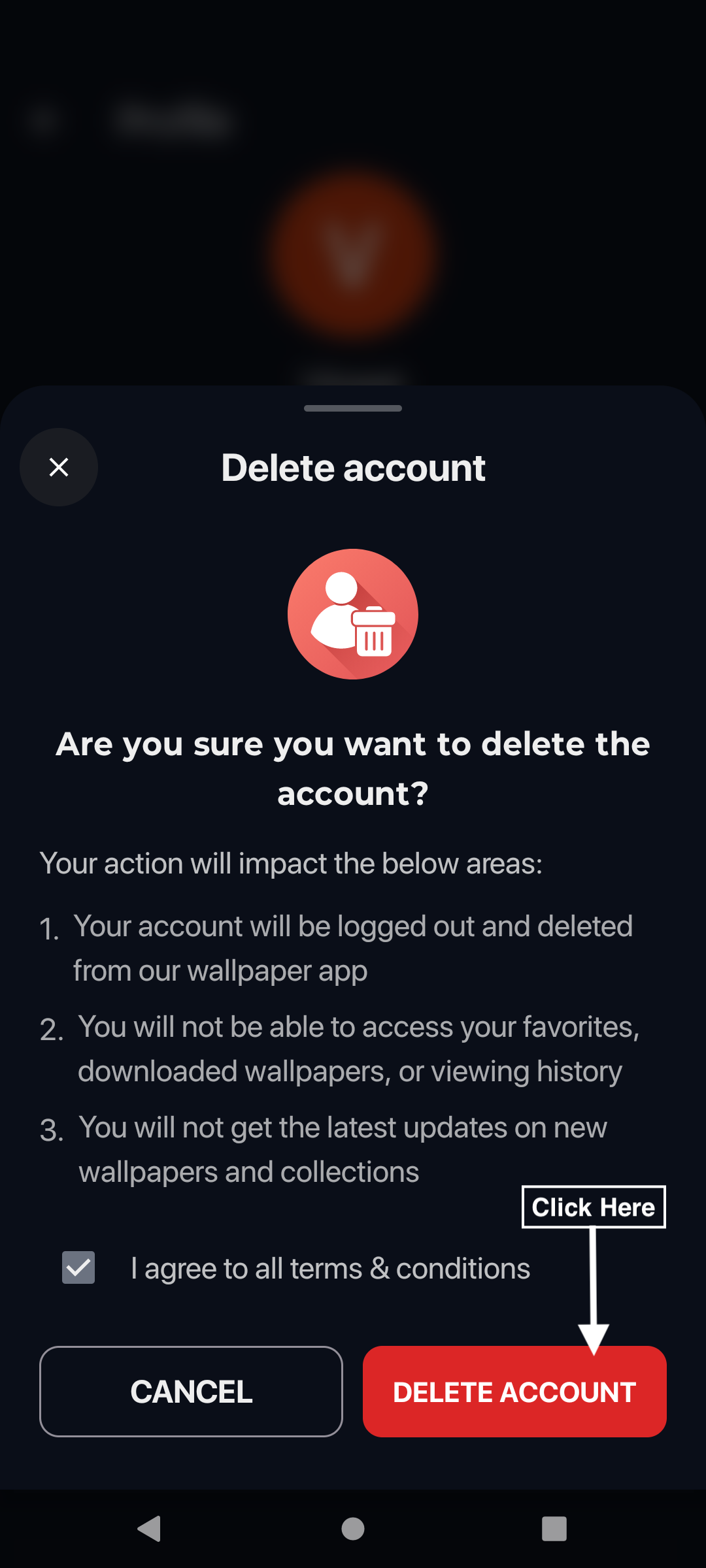
4 Tap Delete Account
🗂️ What Data Will Be Deleted
When you delete your account, we permanently remove the following data from our servers:
- Your user account – All personal information and credentials
- Liked wallpapers – Your favorites and likes history
- Download history – Records of wallpapers you've downloaded
- Viewing history – Your browsing and page view data
- All associated relationships – Any other data tied to your account
⏱️ What Happens After Deletion
- Your account and all associated data will be permanently deleted immediately.
- The deletion is irreversible – you cannot recover your account or data.
- All features requiring sign-in will no longer be available.
- You can create a new account anytime with the same or different email.
❓ Need Help?
If you're unable to delete your account from within the app, please contact us:
📧 Email: askourapp@gmail.com
Please include:
• The app name you're using
• The email address associated with your account
• A brief description of your issue
🔒 Privacy & Data Protection
We take your privacy seriously. Account deletion complies with:
- GDPR – General Data Protection Regulation (EU)
- CCPA – California Consumer Privacy Act
- Google Play & App Store – Account deletion requirements
For more information, please read our Privacy Policy and Terms of Service.